


In this article, we review how the commercial real estate property insights platform CoStar can help inspectors improve workflow and client communication, and how continued use can turn a single inspection into repeat business through a client’s other properties and related contacts, such as tenants, brokers, and property managers. The takeaways and examples highlighted throughout are drawn from key segments of the CCPIA® video and podcast episodes with a CoStar representative:
LoopNet vs. CoStar
First, let’s start with a clear understanding of CoStar. A useful analogy is comparing LoopNet and CoStar to shopping for a car. Using LoopNet is similar to reviewing a free Carfax report, which provides general, publicly available details. Items such as the VIN number, a glimpse of ownership and accident history, odometer checks, a general pricing guide, and recall information are provided.
When you buy the full Carfax report, like using CoStar, you gain access to extensive proprietary data from car service centers and insurance networks. The details are more comprehensive, including damage severity, records of impact, structural damage, service history, safety inspection reports, and more specific ownership history and pricing data.
CoStar owns LoopNet, making the free-versus-paid comparison direct. Many inspectors use LoopNet for an initial view of a property when listing details are available through a broker-paid submission. Inspectors then rely on other online tools and client conversations to supplement that information, building a well-rounded understanding of the property to align pricing and the proposal accordingly.
Next, we’ll review how inspectors use CoStar from the first client inquiry through using the platform to generate future inspection work:
- Property Details for Preliminary Research: Pricing and Proposal
- Business Development: Building and Growing a Client Base
- Strategic Inspection Business Growth
Exclusive CoStar Member Benefits for CCPIA® Members for ROI-Driven Business Development
Property Details for Preliminary Research: Pricing and Proposal
The profitability and success of a job hinges on the inspector’s disciplined approach throughout the proposal workflow process. This process includes five sequential touchpoints between the inspector and the potential client: first contact, the discovery call, proposal delivery, proposal acceptance, and ultimately a booked inspection.
Success at each touchpoint is driven by behind-the-scenes preparation. Preliminary research is the early information-gathering stage that occurs before the discovery call and informs the initial pricing and scope, which are refined in the proposal.
Most inspectors start with cross-referencing multiple sources, such as proposal request forms, LoopNet, and Google Earth. Additional resources can also aid in assembling sufficient and accurate information, including:
- Commercial real estate data platforms. Subscription-based tools that centralize property research and offer data not found in public sources.
- Client-driven conversations. Targeted questions during the discovery call help clarify details and refine scope assumptions.
- Pre-inspection questionnaires. Sent ahead of the discovery call as a prerequisite for pricing, or after the proposal is signed to help prepare for the on-site inspection.
All three approaches are valid. Although the second and third steps are typically necessary for certain projects and at specific points in the proposal workflow, they can introduce friction and reduce efficiency and accuracy when relied on for preliminary research. This article focuses on CoStar, as it aligns with the first approach.
Using CoStar for the Proposal Workflow Process
CoStar brings together independently verified property and market data in a single platform. For inspectors, this centralized access reduces reliance on broker-dependent listing sites and supports a clearer, more complete understanding of a property and potential client’s background. Some of the data includes:
- Property and aerial photos
- Plat maps, parcel boundaries, floor plans
- Embedded 3D and satellite imagery platforms
- Property descriptions
- Year built/renovated
- Building vs. lot square footage
- Asset class and secondary type
- Building construction type
- Roof type
- Structure type
- Fire system
- Gas
- Sewer
- Power supply system
- Water heating system
- Parking spaces count
- Building use and occupancy
- Tenant use and occupancy
- Tenant mix
- Land use
- Tax assessments
- Zoning
This distinction matters for commercial property inspection companies and operations teams that are responsible for quality and timely response within the proposal workflow. It connects to a broader business concept known as tech stacking.
Consider: How many platforms are involved in your preliminary research workflow, and what happens when key property data isn’t available through LoopNet?
Tech stacking refers to the intentional use of multiple tools and platforms that function together as part of a cohesive system. In the context of inspections, an effective tech stack supports preliminary research by reducing the number of independent tools to improve information and process consistency. This allows workflows to scale as inspection volume increases.
Limitations of Public Listing Sites
It’s important to understand the limitations of public listing sites. Beth Messier of CoStar explains that LoopNet only shows about 40% of the commercial real estate market. In a live demonstration of properties listed for sale, Beth showed that out of 2,500 properties, nearly 1,300 were not visible on LoopNet, confirming that relying on public listing sites can mean missing about half of available opportunities.
She further explained that properties appear on LoopNet and other real estate listing sites because brokers or listing agencies pay a fee to submit listing information. CoStar, by contrast, compiles its own independently verified property data, extending beyond what is publicly available or broker-submitted. This information contributes significantly to the proposal workflow process and identifying potential inspection opportunities and contacts.
CoStar demo showing property listings
Using CoStar for Identifying New Inspection Opportunities
In addition to supporting inspection research, CoStar can be used to guide business development. Defining a target market starts with understanding where and how you want to work (i.e., property types, transaction types, ancillary services and other specializations, and long-term direction). For example, some inspectors choose to grow their business within a specific niche, such as retail properties or triple-net lease transactions.
These criteria can be applied using filters within the platform to identify potential business opportunities. CoStar offers more than 250 filtering options that allow users to narrow and analyze markets based on specific attributes, including:
- Property historical data
- Current and past owners
- Current and past tenants
- Public record and market data
- Pending sales
- Past sales
- Current vacancies
- Properties for sales
- Lease expirations
- Occupancy patterns
- Prior loans
- Mortgage and deed information
- Portfolio and funds
- Property locations
- Transaction history
- Recent developments
Consider: Are there specific building types, asset classes, or inspection services where you want to grow, and do your current tools allow you to identify those opportunities efficiently?
With filtered searches, the platform also allows inspectors to contact those associated with a specific property either directly through the platform or by collecting email and mailing addresses to support a targeted marketing approach, including:
- Owners
- Investors
- Tenants (occupiers)
- Brokers and agents
- Property managers
Alerts can be enabled to notify inspectors when new properties meeting those criteria are added to the platform. Another example of applying filters for niches and specializations is focusing on buildings over 30 years old. Inspectors can use these filters to identify properties to market insurance-type inspections that are often required in the commercial sector.
Consider: If you had a way to collect direct property contacts, how would this improve your marketing strategy and efficiency, and better align with your goal setting and ability to meet those goals?
Refer to the Roundtable recording for a timestamped example of filter application using the criteria above.
Strategic Inspection Business Growth
Next, we’ll review the several core uses for inspectors within CoStar to better understand clients, gather direct contact information, and advance company goals, including:
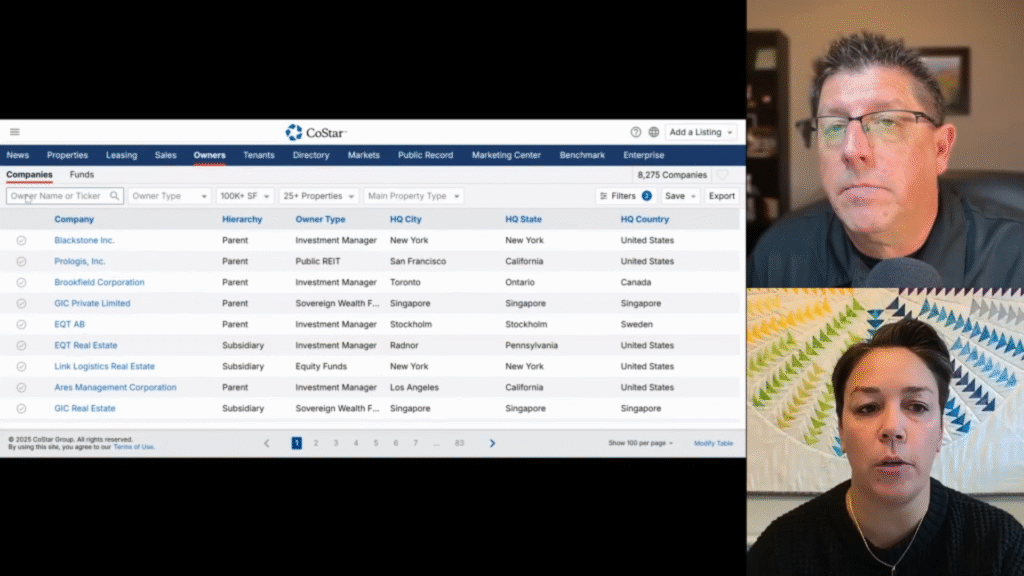
Who Owns the Property
Understanding ownership details provides clarity on who the inspector is actually working with. CoStar presents this information by identifying the owner’s location, the broader ownership entity or group, and the properties within that portfolio.
Consider: How could knowledge of an owner’s background influence pricing and scope discussions before they become a paying client, as well as post-inspection follow-ups?
Refer to the timestamped example of ownership details from the Building Your Business episode.
Ownership details CoStar demo
It also provides verified contact information that is not publicly available, giving inspectors insight into a property’s organizational structure and the true decision-makers. The initial point of contact is not always the paying client, and early inquiries help inspectors determine whether they are speaking with the decision-maker or other stakeholders.
Refer to the example of key contact details from the Building Your Business episode.
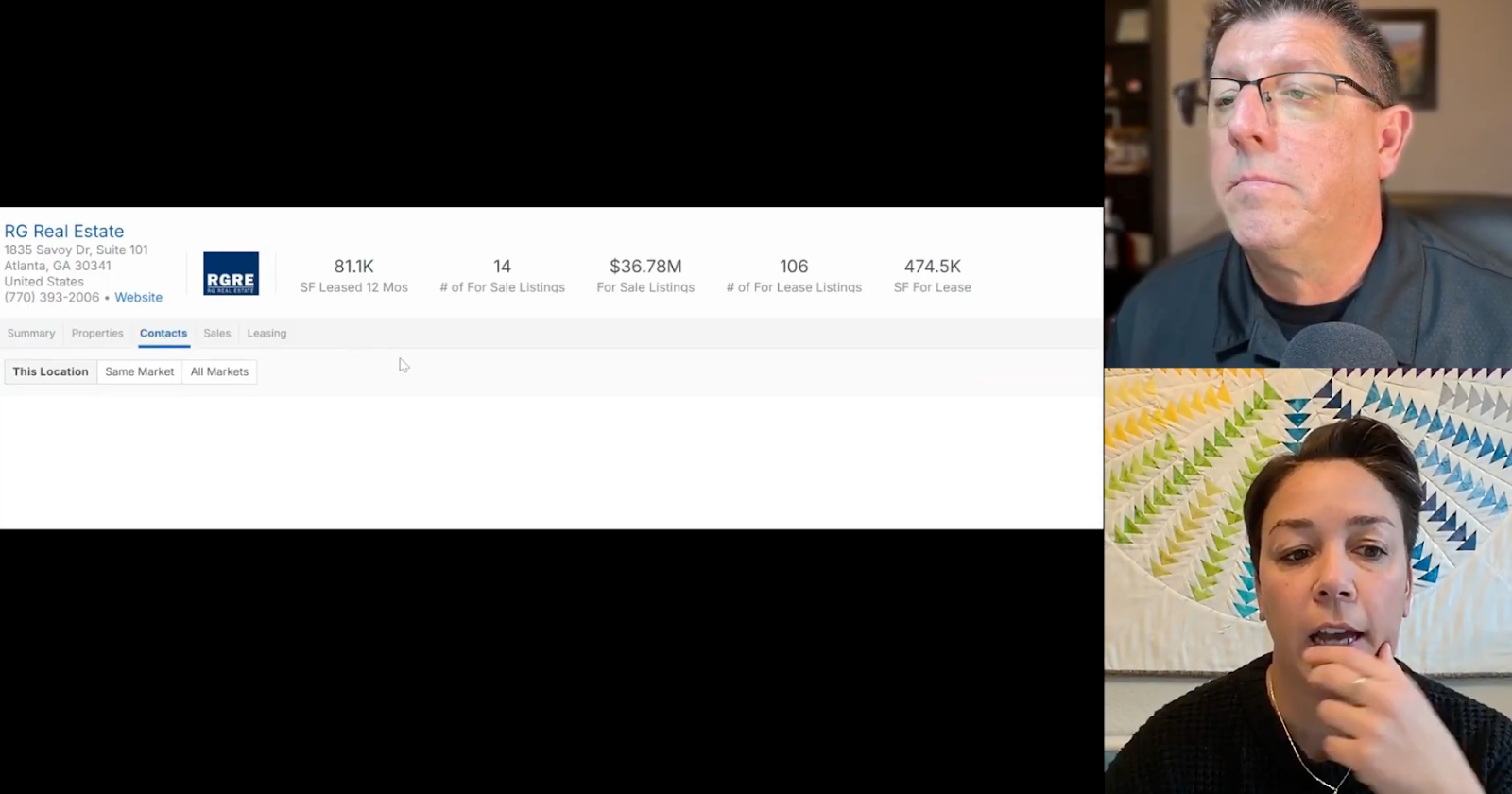
Key contacts details CoStar demo
Consider: How would knowing a property’s true decision-maker and other key stakeholders change who you contact, how you frame the conversation, and your likelihood of securing the inspection at-hand and future jobs?
What Other Properties They Own
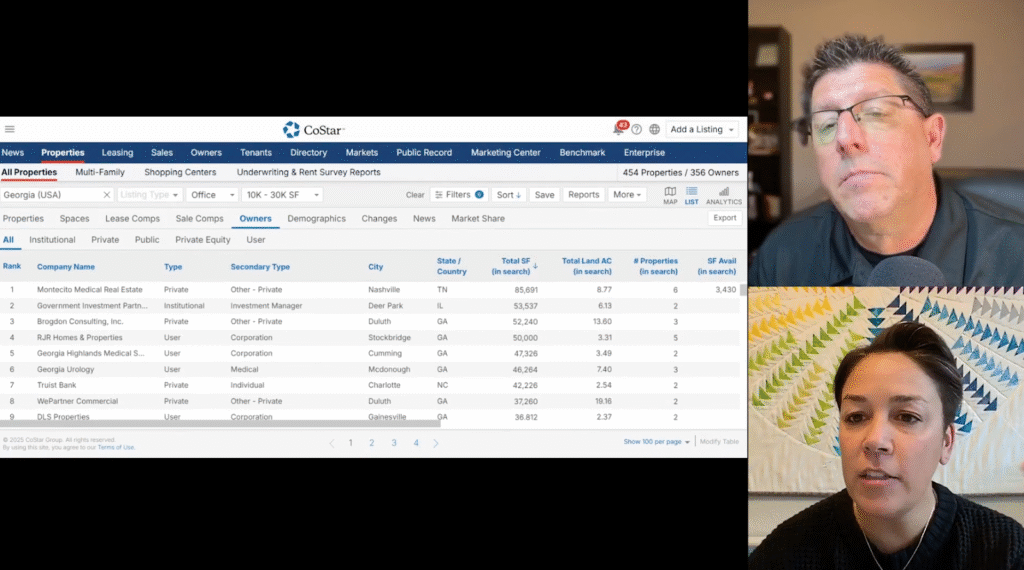
After identifying the property owner and other decision-makers or stakeholders, inspectors can use the Owners tab to review other properties within that contact’s portfolio. Portfolio details in CoStar include property type, location, size, age, and current status, such as whether a property is for sale, for lease, vacant, or occupied.
This information helps inspectors identify properties where their services may be needed in the near term or on a recurring basis to support maintenance and capital planning. It also allows inspectors to see what type of other properties a specific property owner is tied to, such as concentrations of industrial buildings, retail spaces, or older properties. This can help inspectors customize their marketing and services for specific contacts.
For example, inspectors can use this information to:
- If a contact is part of a portfolio consisting primarily of warehouses, convey a specialization in that property type and reference past inspections performed on similar properties within the portfolio.
- After completing an inspection, look up other properties for sale or lease within the same portfolio and follow up to market inspection services that can be scheduled immediately for those properties.
- If a tenant with an expiring lease is tied to a property in the portfolio, reach out to the property owner or tenant and market inspections that support lease renewal, move-out, future lease agreements, or property qualification when relocating.
Refer to the timestamped of using Owner tab to see high level insights for a single point of client.
Owners tab CoStar demo
Consider: How could understanding an owner’s full property portfolio, including occupancy, sales, and lease status, change how you tailor inspection marketing?
Who Else Manages or Is Associated with the Property
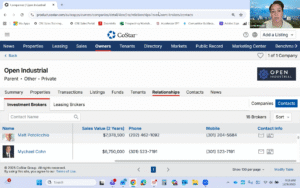
Once inspectors have a clear view of a contact’s or client’s background and associated properties, the Relationship tab provides an expanded view of individuals connected to those properties beyond ownership. This includes brokers, property managers, leasing agents, current and past tenants, and other relevant contacts tied to the client.
Refer to the timestamped example showing how the Relationship tab is used to view connected properties and contacts.
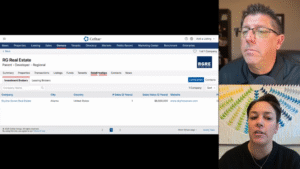
Relationship tab CoStar demo
This visibility helps inspectors maintain continuity across engagements and supports business growth across multiple properties and related contacts within a client’s portfolio. Inspectors can reach out directly through the platform or gather information for great marketing efforts, like email or direct-mail.
Refer to the timestamped example of using the platform to reach out to potential clients directly through the platform.
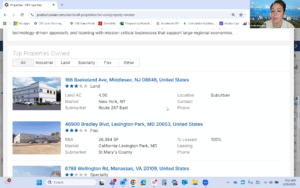
Directly reaching out to owners, broker, and property managers CoStar demo
Commercial property inspection work relies on accurate information, clear communication, and repeatable processes. As outlined in this article, CoStar can be used as a research and organizational tool to support preliminary property review, proposal development, and longer-term client engagement. By centralizing verified property data, ownership details, and associated contacts, inspectors can reduce reliance on fragmented public sources and improve consistency within their proposal workflow.
Over time, continued use of this type of platform can help inspectors better understand client portfolios, identify additional inspection needs, and maintain continuity across related properties and stakeholders. For inspectors seeking to refine research practices and improve alignment between inspection services and client objectives, structured access to commercial property data can play a practical role within an inspection company’s broader workflow and business goals.
Get started: Exclusive CoStar Member Benefits for CCPIA® Members for ROI-Driven Business Development