


A proposal is a document that presents a scope of service and fee to a prospective client before the inspection agreement is signed. It’s a service alignment and sales tool. It’s not the inspection agreement, but it can be combined with it for immediate acceptance and scheduling.
There is no required format. What matters most is that the proposal is professional, accurate, and easy for the client to act on. Think of the proposal as a value proposition tool, and the inspection agreement as a more official document for legal protection and liability control.
Proposal Basics
Beyond serving as the written means for a prospective client to determine whether a proposed scope and fee meet their needs and budget, proposals give inspection companies the opportunity to showcase their company and service value. That showcase helps reinforce that they are the best company for the job.
For example, some companies address company information and branding minimally, adding only a logo and contact information. Others include a cover letter, company bio, or a meet-your-team section. It comes down to the company’s overall proposal objective and how that can be achieved within their internal workflow.
Questions to consider regarding workflow and the information you want to include:
- How will you present scope customizations beyond the baseline ComSOP, and any limitations or exclusions per job?
- How do you want to present your fee, as a single proposed fee, tiered service options, or with ancillary add-on options?
- What do you want the prospective client to know about the inspector or your company?
- What do you want the prospective client to know about your process, such as next steps for scheduling or the full process from proposal through final report delivery?
- What is your tech stack or internal workflow for customizing a proposal per job and collecting a signature?
The other key factor is whether you will have all the information you need before the proposal goes out. That means collecting information through a proposal request form, online research on the subject property, and any client communication, like a discovery call.
Download and Customize a Template
Proposal templates support an efficient workflow. CCPIA® offers two versions. The basic version covers the essentials. The comprehensive version is more detailed and includes a table of contents, executive summary, company bio, dedicated project team bios, tiered service and add-on options, and an overview of the inspection process from proposal delivery through the end of service, whether that is report delivery or an optional consultation.
Both versions require some initial setup to align with a company’s branding. The best template and platform depends on the company’s workflow and internal preferences. Some templates require heavy upfront editing to get branding and structure right, after which customization per job is minimal. Others may require more input per job.
The following is a list of the minimum recommended items to include:
- Inspection company contact information and branding
- Client information
- Subject property address and description
- Defined scope of proposed service
- Adherence to ComSOP and any adjustments
- Add-on or ancillary services
- Fees, retainers, and payment terms
- Proposal acceptance and return instructions
- Next steps following proposal acceptance
The proposal templates included with CCPIA® membership include Word Docs, Google Docs, and Canva.
Word Doc Inspection Proposal Templates
The Word version is a plain, text-based document. It’s easy to edit in any version of Word and simple to reformat or restyle to match a company branding. Maximum flexibility, familiar to most people, easy to reformat or restyle however they want.
Lowest barrier to editing. Microsoft 365 platform allows users to request e-signatures.
Google Docs Inspection Proposal Templates
The Google Docs version is professionally designed, with color and layout already applied. Most content is organized inside tables, which control the layout and alignment of text, color blocks, and images throughout the document.
Editing within a table works the same as editing regular text. Click into any cell and type. Hover over cell borders to resize as needed. To replace an image, right-click it and select “Replace image.”
This template requires more upfront customization to align with company branding. Google Docs includes a native e-signature feature. It also connects with third-party add-ons like DocuSign, HelloSign (Dropbox Sign), SignRequest. If your workflow is already built around Google Docs, these add-ons let you request a signature without leaving the platform or uploading the file elsewhere.
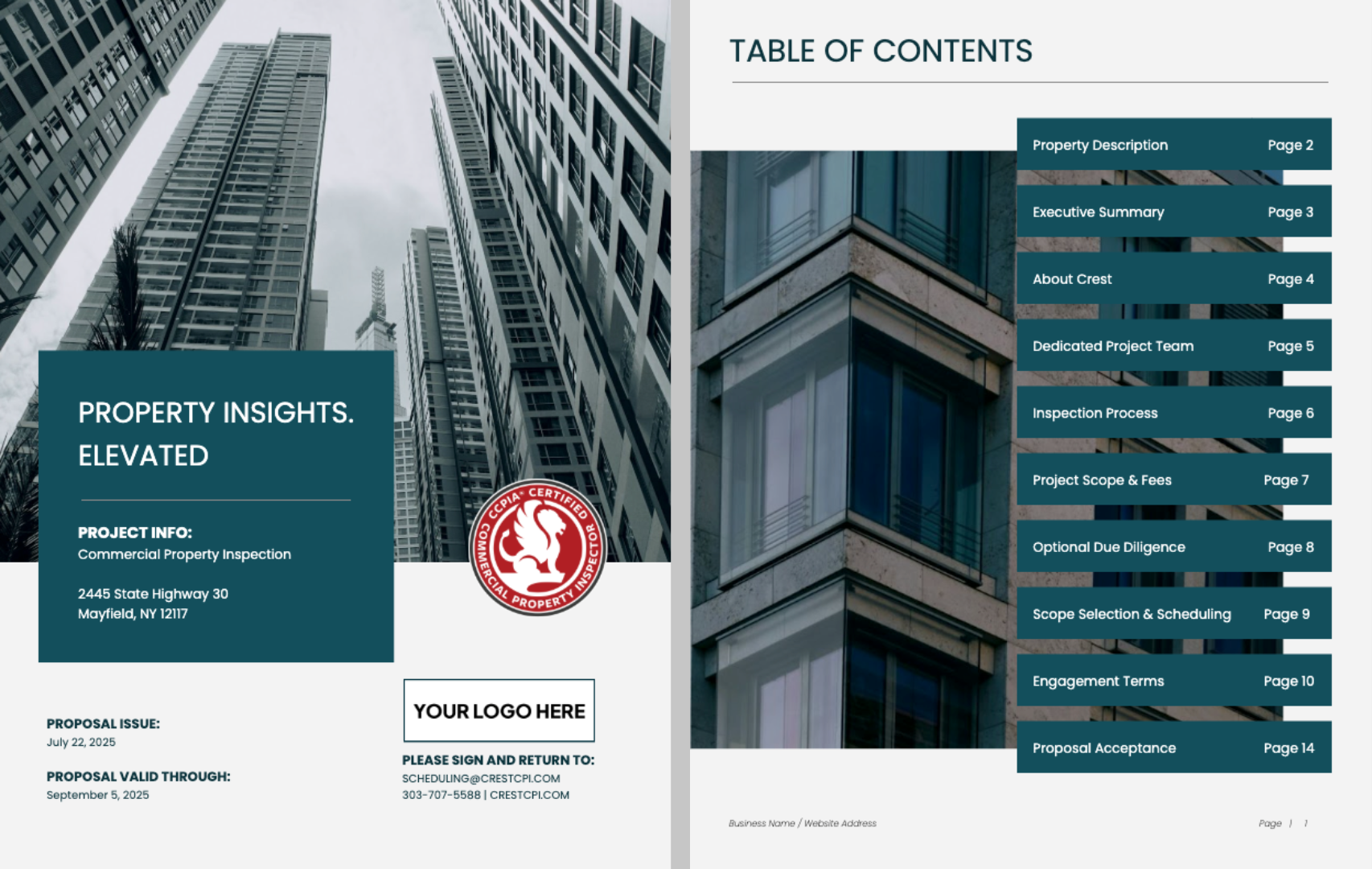
Google Docs Template Preview
Canva Inspection Proposal Template
Canva requires more time and design familiarity to edit, but produces a very polished result. Only the comprehensive proposal version is available as a Canva template. A Canva account is required. Once logged in, the template transfers to the user’s account and is fully customizable.
A mock company and job are included as an example. All elements should be customized so the proposal reflects the company’s brand. Canva doesn’t have a native feature to request a signature, but it connects with third-party add-ons similar to Google Docs.
Additional Considerations
Some companies design a polished proposal from front to back, or simply a polished cover page. Then, they pair it with Adobe Acrobat for fillable fields to customize per job and ease of collecting a signature. The platform and workflow depend on what a company already uses. To pick a proposal approach, list the platforms you already use and either build a process around them or choose a dedicated platform.
Dedicated proposal platforms offer a more interactive experience, with real-time price adjustments when add-ons are selected and deposit collection. Proposify and PandaDoc are common examples, though they tend to come at a higher cost. Some website platforms also include built-in proposal tools and CRMs, such as Wix.
In The Path to Winning Commercial Clients Virtual Fast-Track Course, students learn how to map and optimize the client journey from first contact to signed contract and align it with their internal processes.
Your inspection fee and proposal do not exist in isolation. They are one touchpoint in a sales process that must be moved through deliberately. Inspection companies must design a frictionless client experience and an efficient internal workflow. In the fast-track course, students learn the pros and cons of proposal approaches and platforms to identify the best fit for their operation. They also learn best practices for proposals, including must-haves and nice-to-haves and why.